






Card Activation and Purchases
As soon as your virtual or physical card is issued, it’s active and ready to use.
You will receive an email notification with a link to complete your account setup. If you haven't already, use that link to create your Mynt account using a Passkey or your email and password.
Virtual card
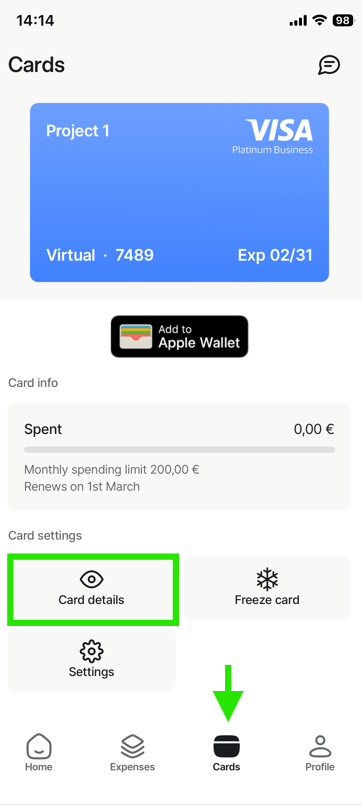
Virtual cards do not have a PIN. To make a purchase, use the card numbers found in the Mynt app under Cards > Card details.
- Note: You may be asked to verify your purchase using Smart-ID.
Physical card
You can use your physical card for online purchases even before it arrives in the mail. Access the card details and PIN in the Mynt app under Cards > Card details.
To activate contactless payments:
- For your first in-store purchase, insert the card into the terminal.
- Enter your PIN to complete the transaction.
- After this, you can use contactless "tap" or swipe/insert as usual.
Contactless Limit: Payments up to €50 are supported without a PIN. For higher amounts or security checks, you must insert the card and enter your PIN.
After you receive the physical card, for your first in-store transaction, please insert the card into the payment terminal and enter your PIN. After that, you can choose between tapping or inserting/swiping the card as usual.
Purchase notifications
After every purchase, CostPocket will send a notification to your phone asking for the expense document.
To enable notifications: Go to your phone Settings > Apps > CostPocket > Notifications > Allow notifications.
Tip: You can add both virtual and physical cards to Apple Pay or Google Pay. Learn more.