






Issue payment cards
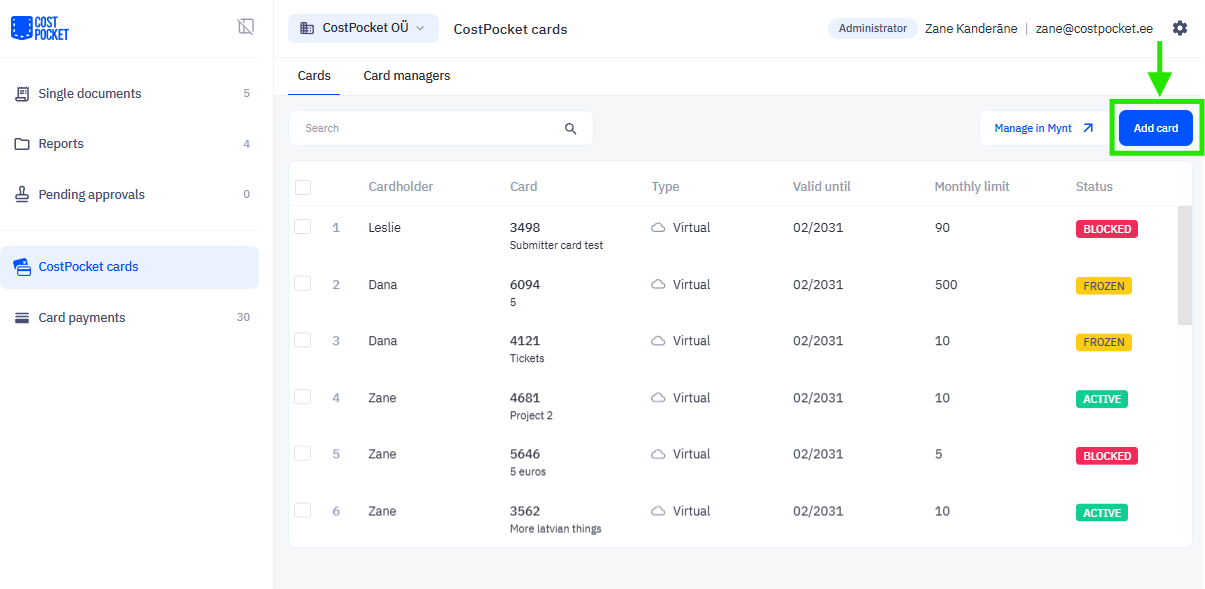
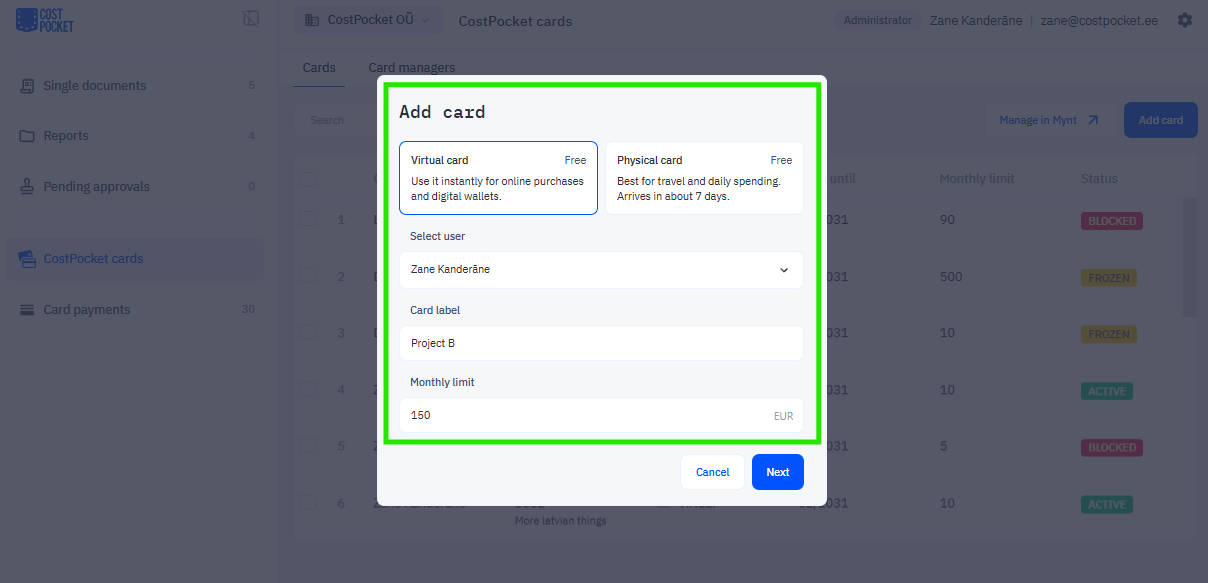
Card Managers can issue a card to a user in the CostPocket app or Cloud in CostPocket Cards > Add card.
When issuing a card, you can:
- Select Type: Virtual (instant) or Physical (shipped).
- Set Label: name your card.
- Set Limit: Define the monthly spending budget.
- Address: Only needed if ordering a physical card.
Once issued, the user will be notified by email and can view their card in the CostPocket mobile app under Settings > CostPocket Cards.
Managing the Card: To freeze a card or see full card details (like the CVV), the user can use CostPocket app or Mynt app. Learn more here.
Card Managers can also adjust spending limits, freeze, or terminate cards through CostPocket or Mynt. Learn more here.
Was this article helpful?