






Manage your card
Until the CostPocket Company Cards service is fully integrated into our app (expected late 2026), you will use both the CostPocket and Mynt apps.
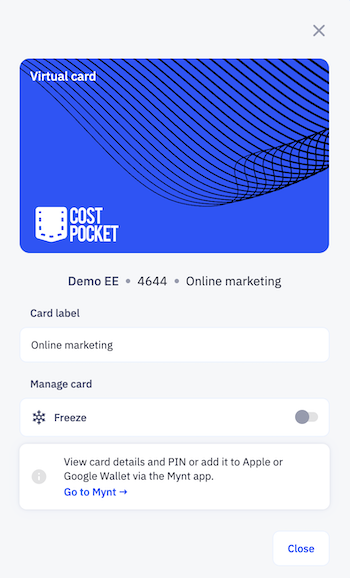
CostPocket App – Receipts & Overview
In CostPocket you can:
- Follow your spending: view your transactions.
- Freeze card: instantly disable the card if it is misplaced.
- Upload receipts: snap receipts to match with transactions for accounting. Read more about card reports.
Manage your cards in CostPocket > Settings > CostPocket cards > select your card.
Mynt App – Banking & Security
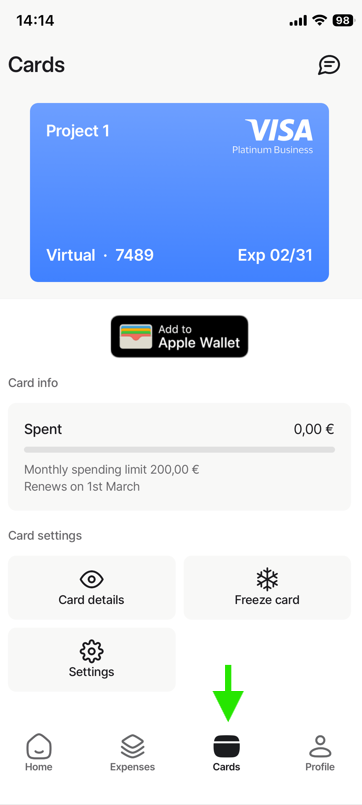
Go to Mynt app > Cards to:
- View card details: view your full card number, CVV, and PIN (physical cards only).
- Add to mobile wallets: add your card to Apple Wallet or Google Wallet.
- Freeze card: instantly disable the card if it is misplaced.
Tip: You can also manage your Mynt account on your computer at app.mynt.com.
Was this article helpful?