






Managing your team's cards
Until the CostPocket Company Cards service is fully integrated (expected late 2026), you will use both the CostPocket and Mynt apps to manage your team’s spending.
CostPocket App – Team Management & Accounting
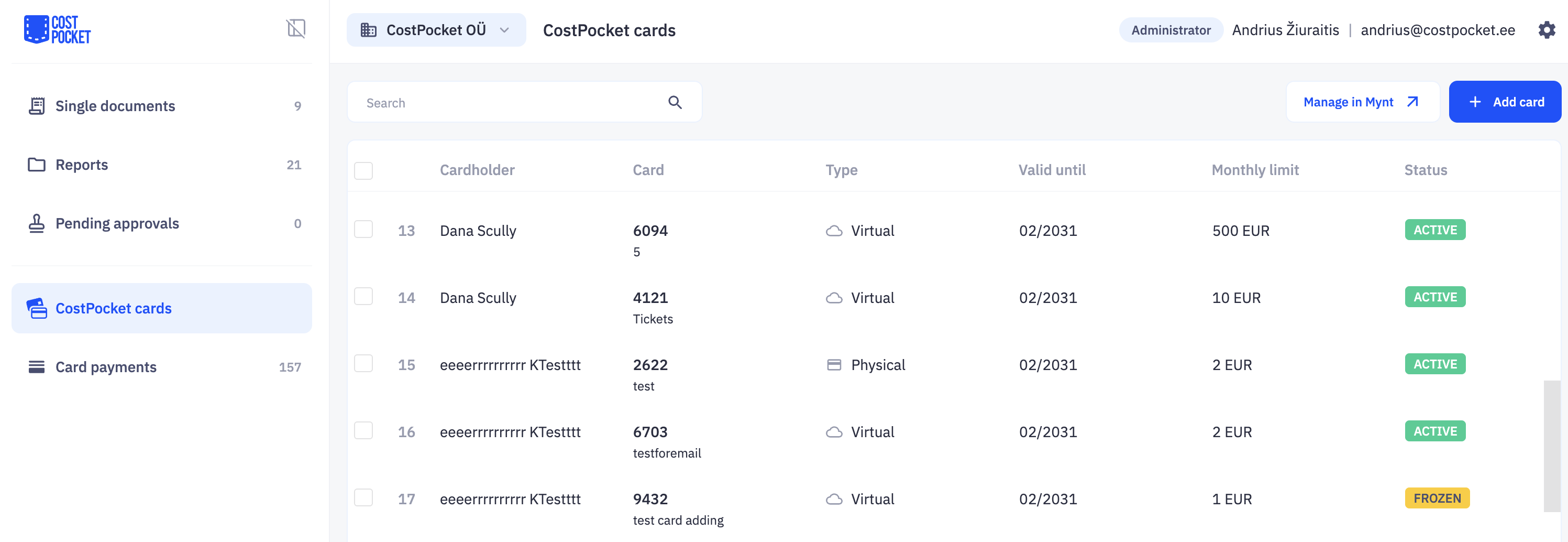
Use the CostPocket Cards section for daily administration and bookkeeping:
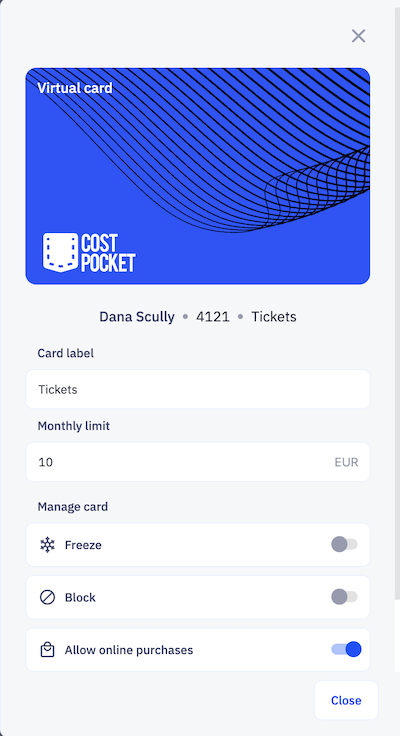
- Issue Cards: Instantly create virtual cards or order physical ones. Set the cardholder, monthly limit, and card labels.
- Adjust Details: Update spending limits or card labels at any time.
- Freeze or Terminate: Temporarily freeze or permanently block cards if they are lost or no longer needed.
- Assign Managers: Appoint colleagues to help issue and manage cards for the team.
- Track: head to Card transactions to monitor real-time spending of your colleagues.
View and manage cards in CostPocket > CostPocket cards.
Mynt App – Financial Hub & Security
The Mynt app includes all card management features found in CostPocket plus financial controls. Use it to:
- Top-up Account: Transfer funds to your main account so your team can start spending. Learn more.
- Access Card Details: View your own full card number, CVV, and PIN (for your physical card).
- Mobile Wallets: Add your card to Apple Wallet or Google Wallet.
- Download transaction history: go to Mynt > All expenses, select the date range and tap the download icon to get the list of transactions in a file.
- Credit Management (in Finland only): If applicable, apply for and manage your credit limit. Learn more.
Tip: You can also manage your team on a larger screen by logging into app.mynt.com.
Was this article helpful?