






Sync CostPocket cards with Merit Aktiva
Setting up your CostPocket cards requires synchronization with Merit Aktiva to ensure your bookkeeping remains accurate and automated.
Step 1: Create the Bank Account in Merit Aktiva
Before CostPocket can send data, Merit Aktiva needs a "landing spot" account for these transactions.
- Log in to Merit Aktiva.
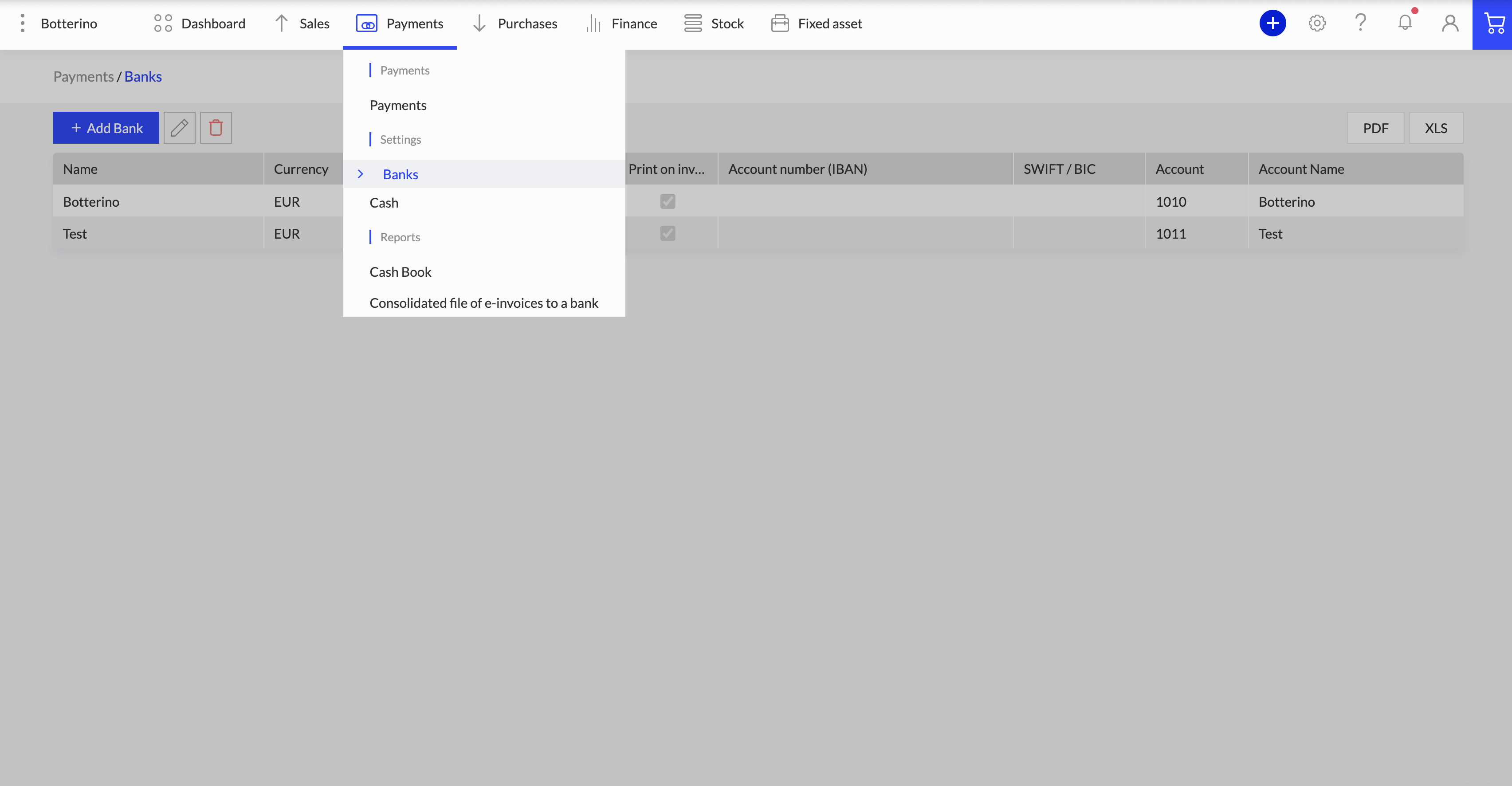
- Navigate to Payments > Banks > Add Bank.
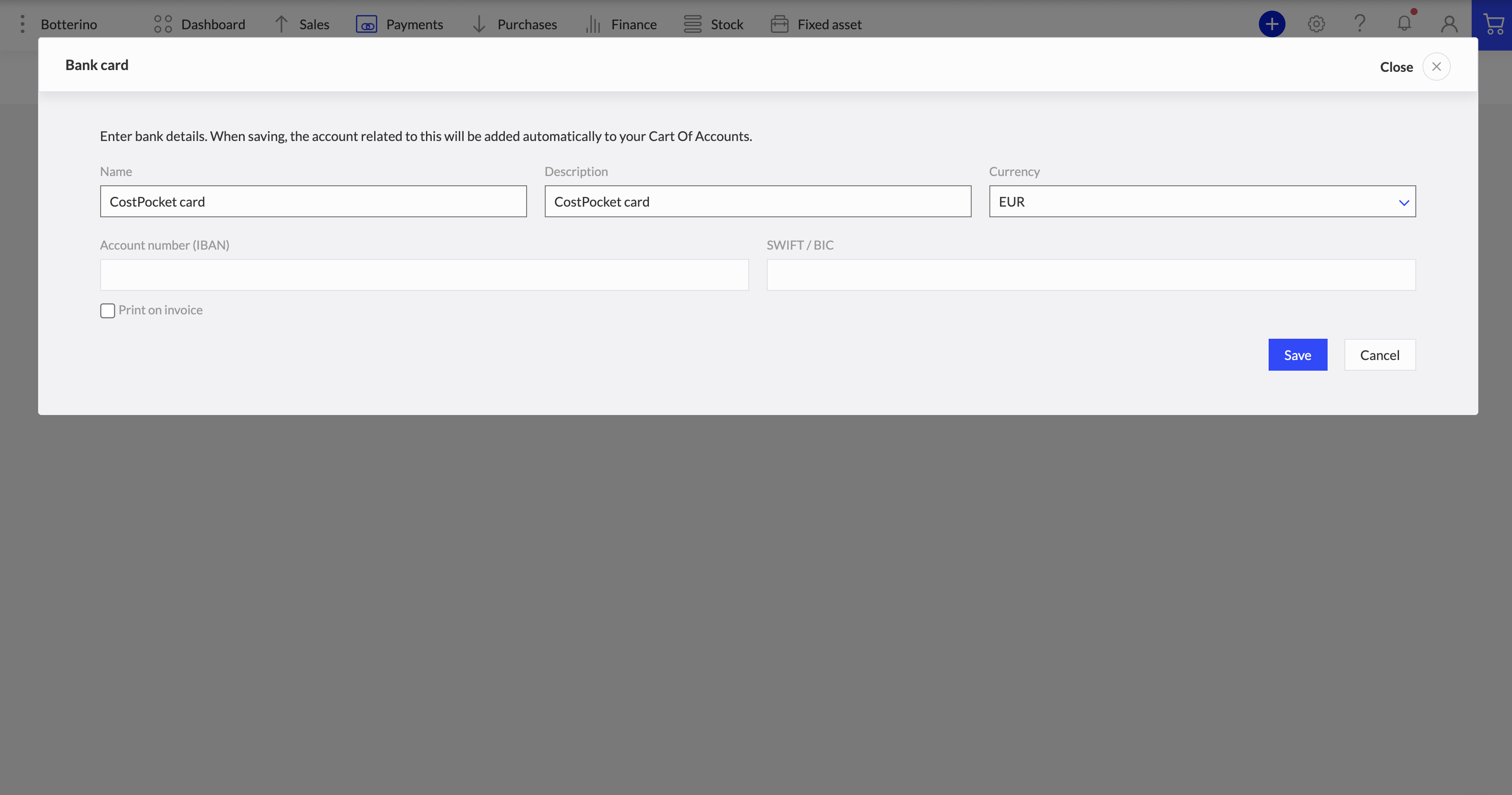
- Bank Name / Description: We recommend naming this "CostPocket Cards" to keep it distinct from your main business checking account.
- Crucial Step: Untick the checkbox for "Print on invoice", so this account does not appear on your outgoing sales invoices.
- Save the account.
Step 2: Link the Account in CostPocket
Now, tell CostPocket where to send the transaction data.
- Open CostPocket and go to Settings > Integrations > Merit Aktiva.
- Select the CostPocket Cards bank account you just created as the Bank account.
Once linked, all future transactions made with CostPocket cards will be automatically categorized under this payment method in Merit Aktiva.
Step 3: Managing Balances (Top-ups)
To ensure your ledger balances at the end of the month, you must record the movement of money correctly:
When you move money from your main business bank account to your CostPocket card account, record it as a transfer between bank accounts in Merit Aktiva.
This ensures the CostPocket cards account balance increases when topped up and decreases as receipts come in, keeping your accounting perfectly reconciled.