






How to start using CostPocket with Microsoft Dynamics 365 Business Central?
Connect CostPocket to Microsoft Dynamics 365 Business Central for easy document management. Digitise documents and forward them to Microsoft Dynamics 365 Business Central.
Connect CostPocket to Microsoft Dynamics 365 Business Central
The CostPocket integration with Dynamics 365 Business Central is available for all Business Central versions (including ver.13) and environments (both On-Premises and Saas are supported). The integration is developed and offered by DIGMATIX.
To get started:
1. Initiate the installation of the solution at the Microsoft Appsource link:
See the integration description and tutorial created by DIGMATIX here: How to start using?
2. Download CostPocket app on Android or iOS, or use the Cloud (web version) and register a user account using same email address as when you log in to Microsoft Dynamics 365 Business Central.
This way our system understands that you started your sign up from Microsoft Dynamics 365 Business Central and you will be added as an administrator to the right company.
Setting up the connection
1. Open the "Expense Reports Setup" page and select "Registration".
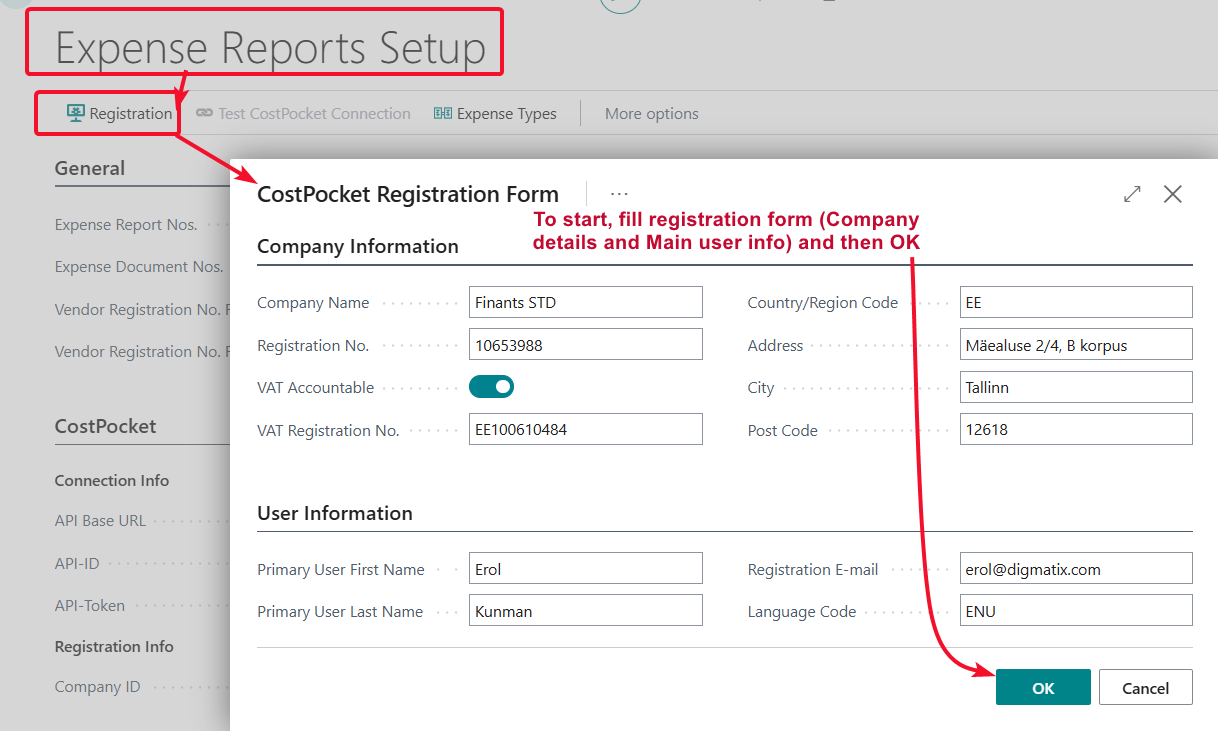
2. Business Central sends the company and primary user information to CostPocket through the registration API.
After successful registration, CostPocket returns the API ID and API Token required for the connection. These fields are automatically populated under "Connection Info".
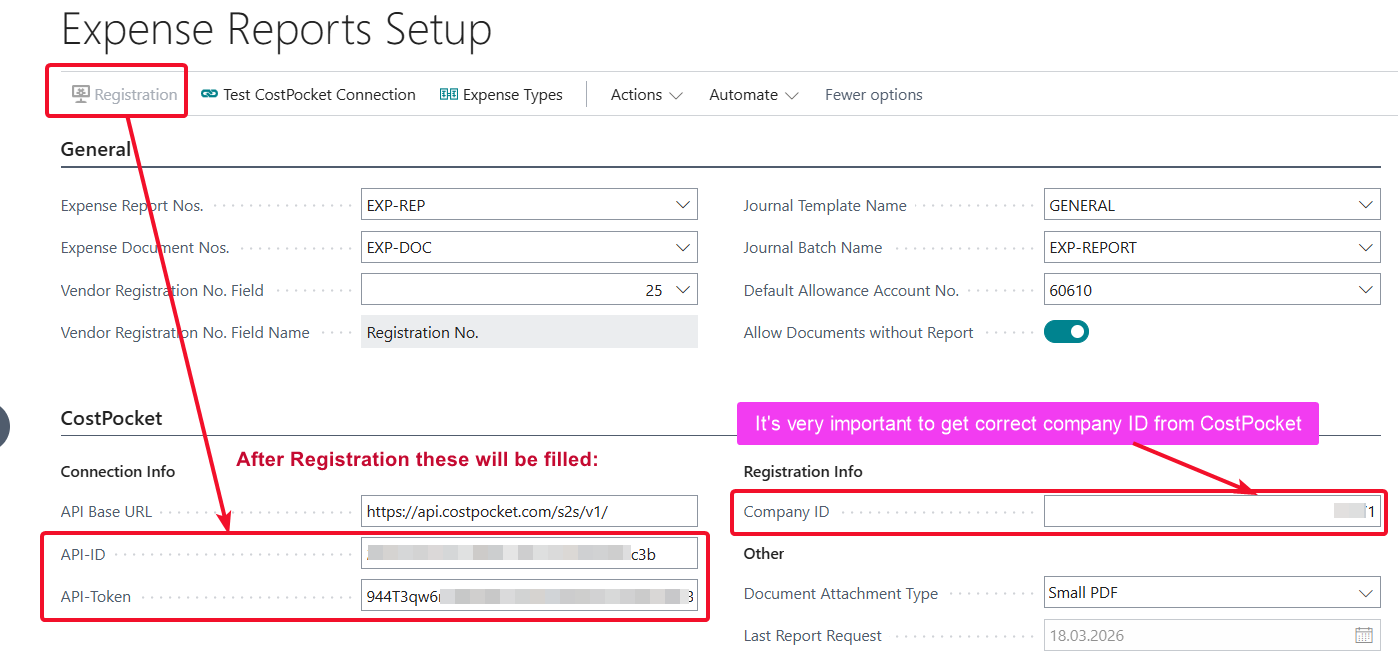
Note! A Company ID must be entered manually!
To find the Company ID:
- Log in to CostPocket at https://app.costpocket.com.
- Open the relevant company.
- Find the Company ID in the browser's address bar. It is the number displayed after /pocket/ in the URL.
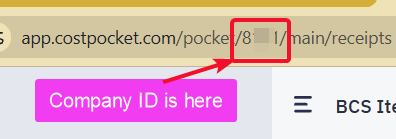
Congratulations! The connection between CostPocket and Business Central has now been successfully established.
Expense Reports Licensing in Microsoft Dynamics 365 Business Central
The DIGMATIX Expense Reports extension is available with a two-month trial period.
If your company already has an active Real-Time Economy (RTE) Package license, Expense Reports is included in that package. No separate Expense Reports license is required after the trial ends.
You can find more information about the included solutions on the Real-Time Economy Package page.
Enable the license check
The Expense Reports extension must be allowed to connect to the DIGMATIX licensing service. This permission is required for the extension to perform its license check.
- Open Microsoft Dynamics 365 Business Central.
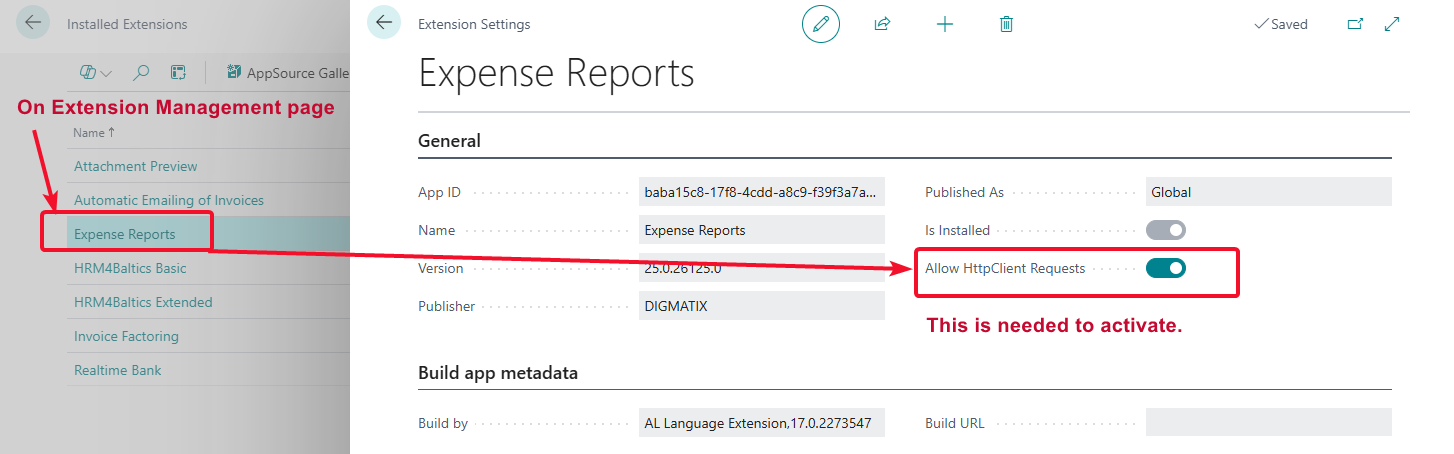
- Search for "Extension Management".
- Find the "Expense Reports" extension published by DIGMATIX.
- Select the extension to open its settings.
- Enable "Allow HttpClient Requests".
- Confirm that the setting has been saved.
How to digitise and submit documents from CostPocket to Microsoft Dynamics 365 Business Central
Documents can be sent as reports (expense reports or travel reports). Learn more about creating and submitting documents and reports in our tutorials here: